Support
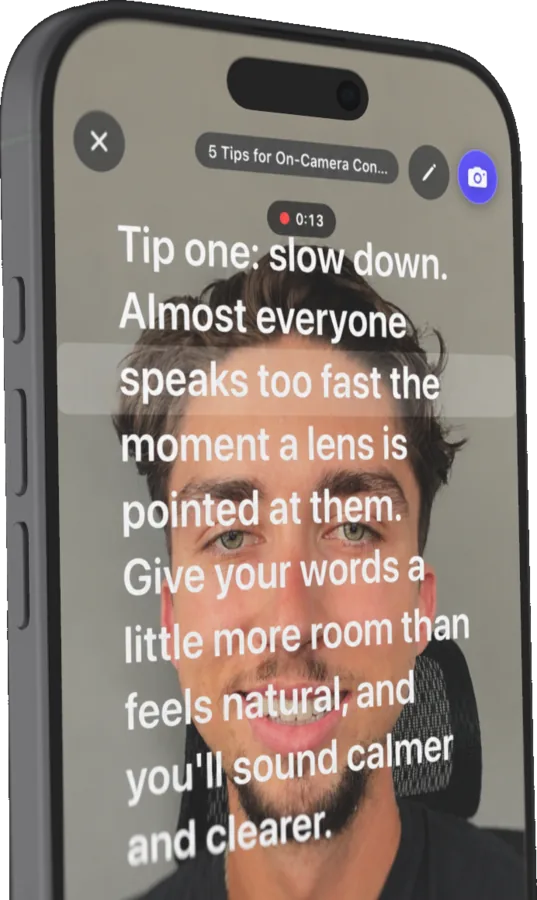
Rolltake is a teleprompter for iPhone. Write or import a script, set your speed and look, and read from a smooth auto-scrolling prompter, with optional Bluetooth remote control and mirror mode for beam-splitter rigs. Everything stays on your device.
FAQ
Open Settings (the gear on the script list) and tap Teleprompter Remote. Rolltake scans for nearby remotes (Neewer and similar BLE remotes, plus standard Bluetooth keyboards and clickers) and shows a picker. Hold the remote next to your phone, choose it from the list, and press a button to confirm it's connected. Rolltake remembers the remote and reconnects automatically next time. Plain keyboard-style clickers, page-turner rings, and game controllers work with no pairing here at all.
If your remote is a proprietary one (not a plain Bluetooth keyboard) and it's listed under Settings > Bluetooth as paired, iOS may keep it claimed at the system level and Rolltake won't see its button presses. Forget the device in iOS Settings first (tap the info icon next to it, then “Forget This Device”), then pair it from inside Rolltake. If Rolltake remembered an old remote, use “Forget” in Rolltake's remote picker to rescan.
Turn on Mirror in the script's prompter settings. The text flips horizontally so it reads correctly in a beam-splitter glass reflection. There's also a vertical flip option for rigs that mount the phone upside down. Both apply only to the prompter view; your script text is untouched.
Scroll speed runs from 1 (slowest) to 10 (fastest), adjustable per script and live from the prompter or your remote. Speed eases in when you start or resume, so the text never jerks into motion. Level 5 is a comfortable default for most readers; nudge it during rehearsal until the reading line matches your natural pace.
Plain text (.txt) and Markdown (.md), via the Files picker. Rolltake only reads files you choose. You can also export scripts as text through the standard iOS share sheet, to Notes, Messages, AirDrop, or anywhere else.
Yes. Pause and open the editor straight from the prompter screen, make your change, and jump back in where you left off, with no need to back out to the script list mid-take.
Contact
Still stuck? Email hello@rolltake.app and include your iPhone model, iOS version, and (for remote issues) the remote's brand and model.