Turn any script into your best take.
Load a script, start the scroll, and read straight down the lens. The reading line stays put so your eyes never wander.

Everything you need to speak with confidence.
Built for one thing. When the camera rolls, you read clean.
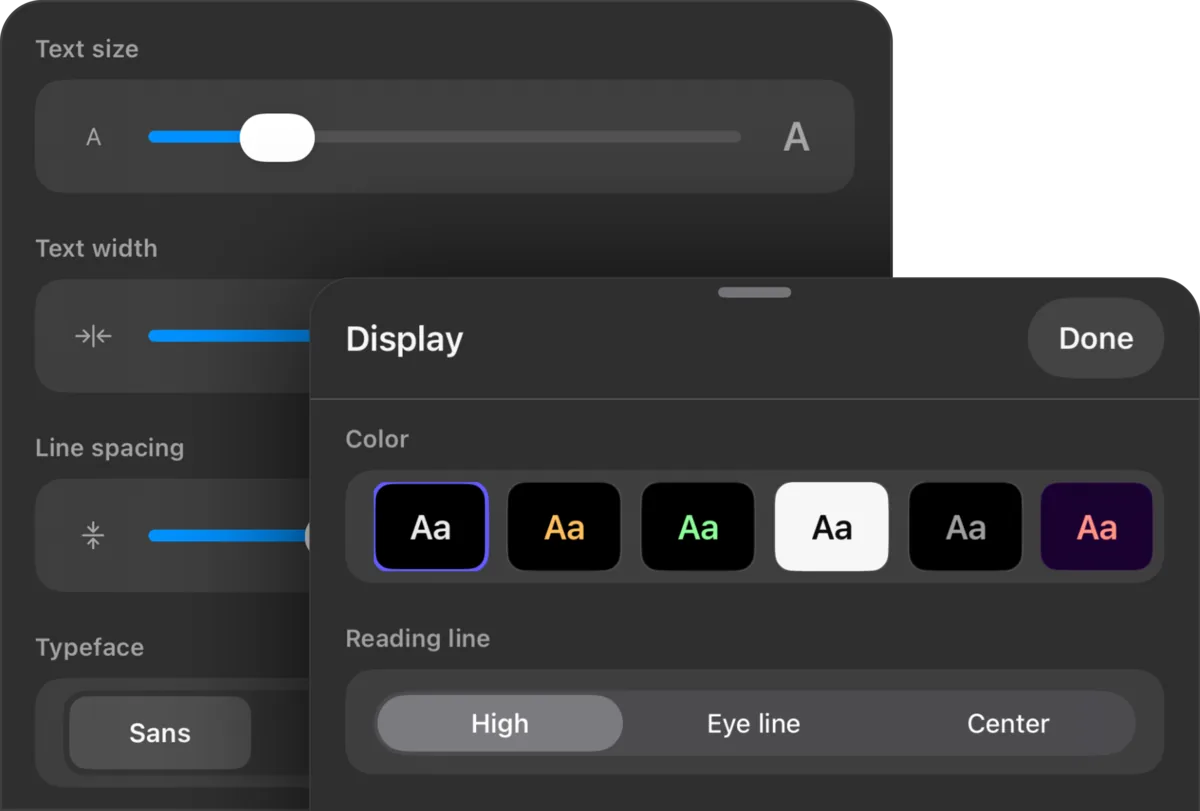
Tune it to how you read.
Size, margins, typeface, and color theme, adjusted live while the script scrolls. Set it once, it remembers.
Read and record in one take.
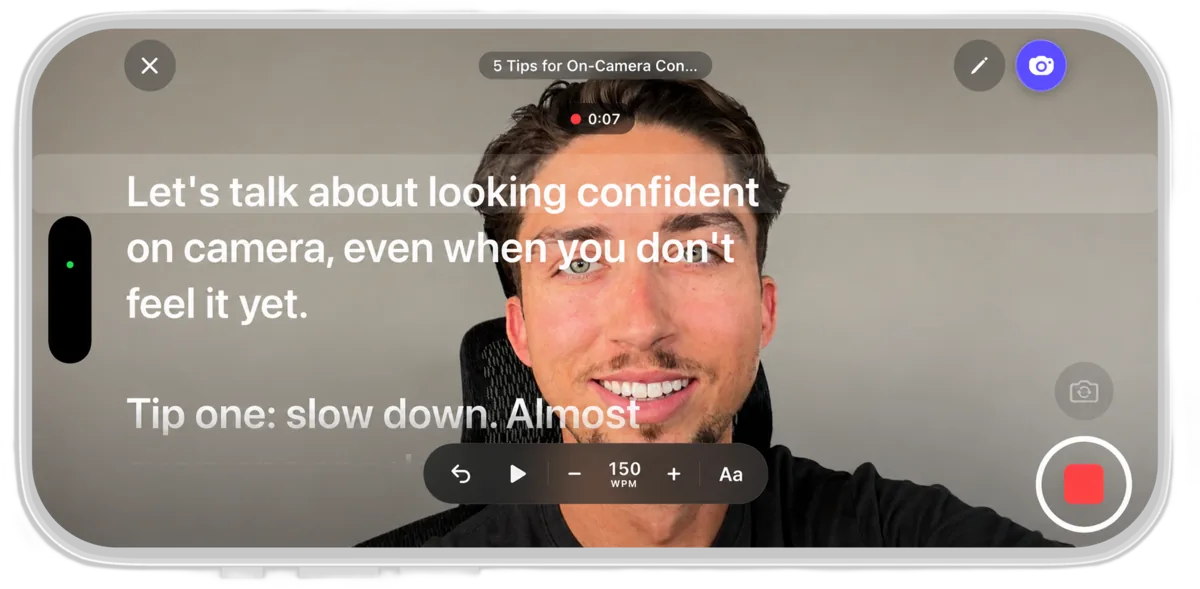
Roll the front camera while the script scrolls over the lens. Takes save to Photos at the camera's full resolution, with no watermark and no reading line in the frame, and they save in the background so you can roll the next one right away.
Drive it without touching the phone.
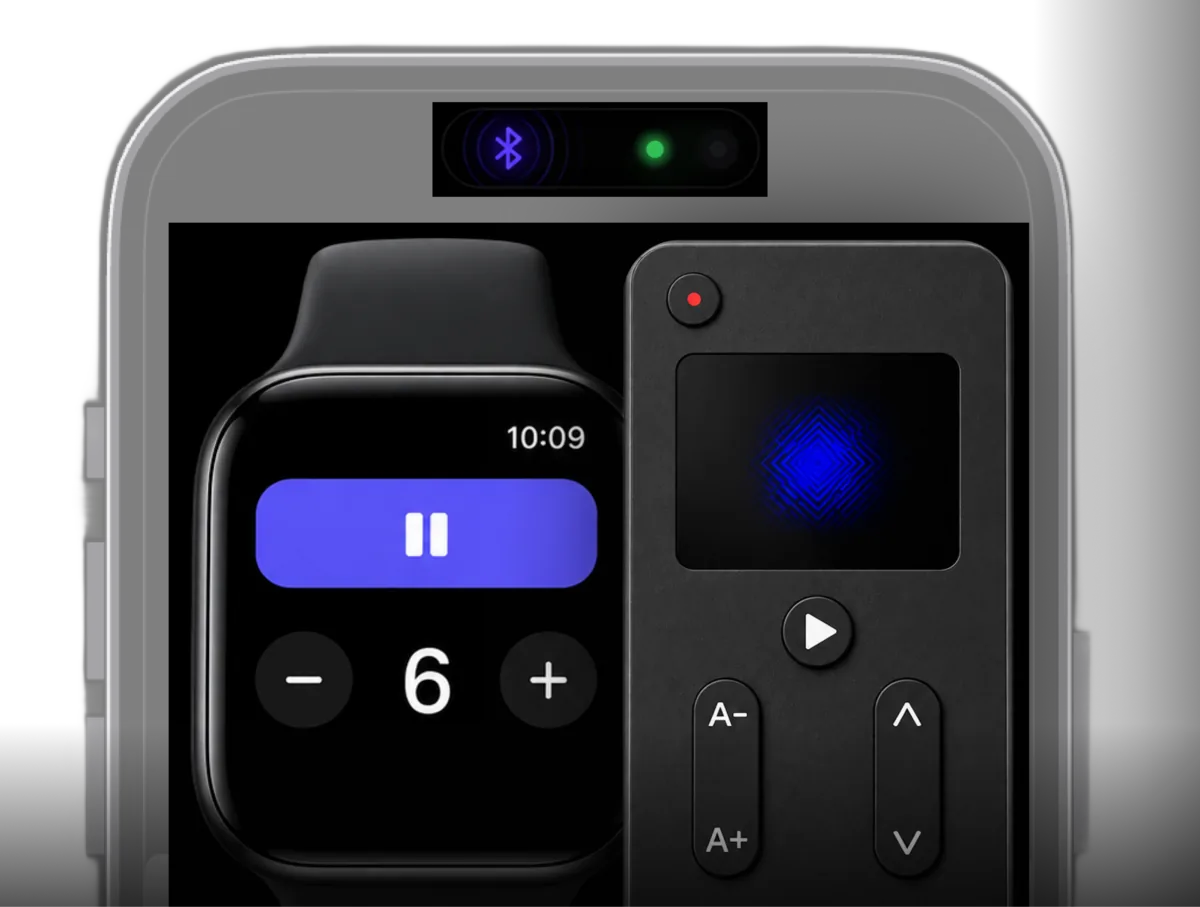
Start, stop, and steer the scroll from your Apple Watch, a Bluetooth teleprompter remote, a clicker, a page-turner ring, or a game controller, so your hands stay free and the take stays clean.
It's free. All of it.
Everything in Rolltake today is free, with no account and nothing to unlock. Download it and start reading.
Questions, answered.
Everything people ask before they download.
Is Rolltake free?
Yes. It is free to download with no subscription, ads, account, or in-app purchases. The prompter, camera recording, Bluetooth remotes, and mirror mode are all included. Recordings save at the camera's full resolution with no watermark.
Does Rolltake record video while the script scrolls?
Yes. It records from the front camera while the text scrolls over the lens, and the reading line and text are never in the video. Recordings save to your Photos library.
Do recordings have a watermark?
No. Recordings save to Photos at the camera's full resolution with no watermark. The script and reading line are never in the video. (Version 1.0 added a small Rolltake mark; update to the latest version for clean recordings.)
Can I send a script from ChatGPT, Notes, or Mail?
Yes. Select the text, tap Share, and choose Rolltake. It becomes a script that opens in the editor the next time you open the app. A Create Rolltake Script action also works in Shortcuts, Siri, and Spotlight.
Can I control it without touching the phone?
Yes. The Rolltake Apple Watch app plays, pauses, and changes speed from your wrist, and Rolltake works with Neewer-style Bluetooth teleprompter remotes, keyboards, presentation clickers, page-turner rings and pedals, and game controllers, all free.
Does it work with a beam-splitter teleprompter rig?
Yes. Mirror mode flips the text horizontally for glass reflection, with a vertical flip for rigs that mount the phone upside down.
What iPhone do I need?
Any iPhone on iOS 17 or later. There is also a web app at rolltake.app/app for use in a browser.
Does Rolltake collect my data?
No personal data. There is no account and no server, and your scripts and recordings stay on your device. The app sends anonymous usage counts, which you can turn off in Settings.
More in Support, or read the guides: best free teleprompter app for iPhone, the best teleprompter apps for iPhone compared, using a teleprompter for YouTube videos, hands-free remote options, recording inside the prompter, and sending a script from ChatGPT. See every feature on the features page, or compare Rolltake with BIGVU, Teleprompter for Video, Teleprompter.com, PromptSmart Pro, and the Instagram teleprompter.